

Summary
- Downloading designs for patterns requires care when browsing the internet.
- You can build a reliable pattern library with digital pattern design software.
- Take care of every step of pattern making with Audaces360!
Obtaining designs for patterns is a great way to speed up the process, but being careful when downloading from the internet is essential. The best approach is to create your own pattern design or digitize your physical collection.
Today, there are excellent platforms available for you to perform digital pattern making quickly and with very few errors. This method is about 70% faster than the manual process.
Want to know how to create or download pattern designs digitally? We have prepared a complete guide for you in this article.
Enjoy the read!
Sumário
What is the difference between sketches and pattern designs?
Sketches represent visual and creative ideas for pieces, while pattern design shows exact measurements used in production. In other words, the sketch communicates style, whereas the pattern guides the construction of the garment.
Therefore, pattern makers need to correctly interpret the sketch before creating the technical drawings. Furthermore, pattern design includes straight lines, precise curves, and essential indications for cutting and sewing. In this way, they prevent errors and rework during production.
According to practices widely used in the fashion industry, separating creation from execution improves productivity and the final quality of the pieces. Understanding this difference helps you work with more security and efficiency in your daily routine.



How to transform manual drawings into digital patterns?
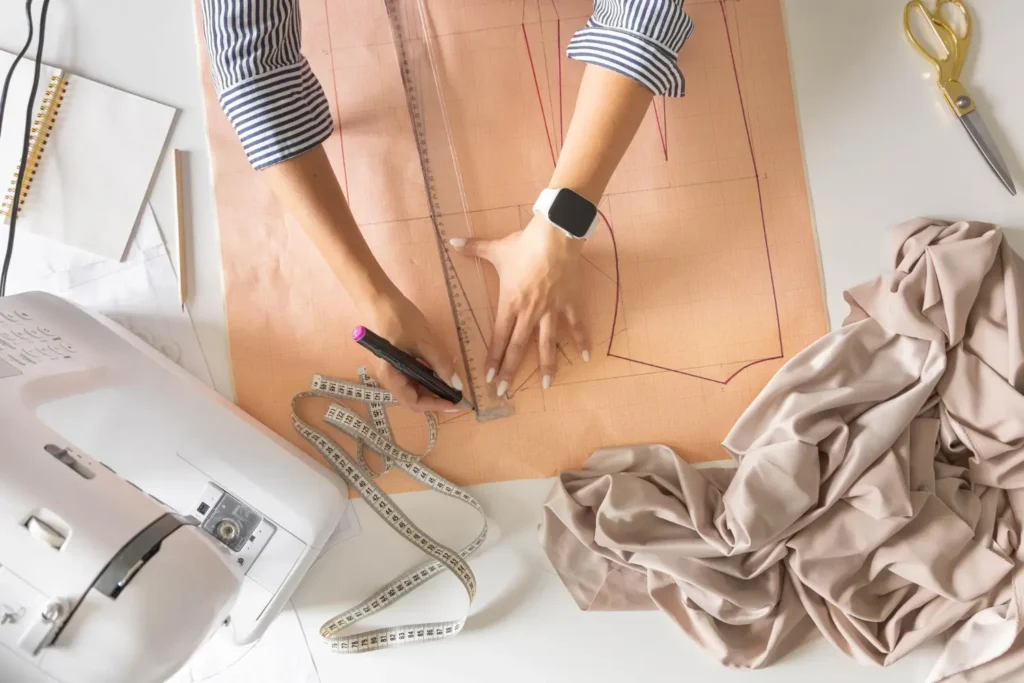
Every garment factory needs well-structured base pattern design files, as they serve as the starting point for various creations. These patterns facilitate adaptations, reduce development time, and ensure consistency in modeling.
Working with ready-made bases helps standardize measurements and improves the fit of the garments. With small alterations, you can create different models from a single base pattern.
Here are the main examples used daily in the fashion industry:
1) Unisex t-shirt
The unisex t-shirt is one of the most versatile pattern designs, as it caters to different audiences and styles with minor adaptations. This base pattern generally has a straight fit, simple armhole, and basic neckline, facilitating quick adjustments.
You can change the length, sleeves, or necklines to create new variations. It is widely used in large-scale production and casual collections.
2) Straight trousers with darts
Straight trousers with darts are an essential pattern for tailoring pieces, as they ensure a better fit to the body. The darts help shape the garment, especially in the waist and hip region.
This pattern also serves as a base for different trouser styles, from formal to more modern models. This way, you can create variations with ease and precision.
3) Bodice base
The bodice base is fundamental for the development of upper garments, as it defines the proportions and fit of the upper body. This pattern includes essential torso measurements such as bust, waist, and shoulders.
From this base, you can create various models with simple alterations. Mastering this pattern design facilitates the development of complete collections.
4) Pencil skirt
The pencil skirt is a classic pattern that enhances the body and requires precise measurements to ensure comfort and mobility. This design includes strategic darts and a fit-to-body silhouette.
It also serves as a base for skirts with variations in length and cutouts. Therefore, it is indispensable in manufacturing units that work with women’s fashion.
5) Sleeve base
The sleeve base is one of the most important pattern designs, as it directly influences the fit and comfort of the piece. This pattern needs to fit perfectly into the armhole of the bodice base.
It allows for the creation of different sleeve styles with minor changes. In this way, you expand your creation possibilities efficiently.
Read more: How to create your own digital skirt pattern in 5 steps
Can I create pattern design drawings directly on the computer?
Yes, you can create pattern design drawings directly on the computer using modeling software that offers precision and agility in the process. These tools allow you to draw, adjust measurements, and visualize changes in real-time.
Additionally, you can save different versions and test variations without having to redo the entire pattern. According to practices adopted by modern industries, digital modeling significantly reduces errors and material waste. Therefore, investing in this type of technology increases your productivity and improves the quality of the developed pieces.
What must not be missing in clothing pattern designs?
Pattern designs need to contain clear and complete information to ensure that the piece is produced correctly at any stage. These elements guide the cutting, sewing, and assembly of the clothes. Furthermore, they prevent common errors that can generate fabric waste and rework.
According to fashion industry technical standards, standardizing this information improves communication between teams. Therefore, including all necessary details is essential to maintain quality and efficiency in production.
Check out the main items that must not be missing:
Piece name and size
Every pattern design must clearly indicate the name of the piece and the corresponding size to avoid confusion during production. This identification facilitates organization and ensures that each pattern is used correctly.
Grain line indication
The grain line indication shows how to position the pattern on the fabric to ensure proper drape and avoid deformation. This information is essential to maintain the structure of the garment after sewing.
Read more: 7 easy steps on how to mark fabric for a flawless cut
Cutting quantity
Pattern designs need to indicate how many times each part must be cut from the fabric to form the garment correctly. This information prevents errors in cutting and ensures that all necessary parts are produced.
Notches and markings
Notches and markings help align the pattern parts during sewing, ensuring a perfect fit between pieces. These signals guide the seamstresses and avoid misalignment, ensuring a more precise and professional finish.
Read more: Learn how to use sewing darts in clothing manufacturing
Where to find ready-made and reliable pattern designs online?

You can find ready-made patterns on online platforms, but you need to evaluate the quality and reliability of the sources before using them. Many websites offer free patterns, but not all follow proper technical standards.
Therefore, prefer platforms recognized by professionals in the field. Always review measurements and perform tests before applying them to production. This way, you avoid modeling issues and ensure better results.
Below are some popular options among pattern makers:
Pinterest is a visual platform that gathers various references for pattern design shared by fashion professionals and enthusiasts. You can find quick ideas and inspiration for different types of garments. However, it is important to validate the measurements before use.
Technical platforms
Technical platforms offer more reliable drawings for pattern design, as they follow standards used in the industry. These materials usually feature detailed measurements and clear instructions. Therefore, they are great options for those seeking precision and quality.
Audaces Knowledge Base
The Audaces Knowledge Base brings together technical content and materials that help pattern makers create and adjust drawings for pattern design more efficiently. Additionally, it offers support for users of Audaces systems. This way, you learn and apply best practices to your process.
How to organize my pattern design library efficiently?
Organizing your pattern design library is essential to save time and avoid rework in your daily routine. You can structure your files into folders by category and fabric type, making them easier to locate.
For example, use patterns such as FOLDER_01_LIGHT_KNITWEAR for t-shirts and tank tops, FOLDER_02_WOVEN_TAILORING for blazers and trousers, and FOLDER_03_JEANSWEAR for more structured pieces.
Additionally, name files clearly, including the garment type and size. This way, you keep everything organized and accessible, improving your productivity and workflow.
Read more: Learn how to incorporate digital patterns into your production
Why should I save pattern design files in digital format (.DXF)?
Saving pattern designs in .DXF format allows compatibility with different modeling software used in the fashion industry. This format maintains precise measurements and facilitates sharing between teams.
You can edit the files without losing quality. The use of standardized digital files improves integration between production stages. Adopting the .DXF format makes your process more professional and efficient.
Read more: Discover 5 major benefits of 3D simulation for fashion
How to adapt a pattern design for different sizes?
You can adapt drawings for pattern design into different sizes using grading techniques that expand or reduce measurements proportionally. This process maintains the garment’s fit across different sizes.
Modeling software automates this task, reducing errors and execution time. It is important to follow reliable measurement tables to ensure consistency. Thus, you produce garments suitable for diverse audiences without compromising quality.
Read more: Learn how to create a size scale for clothing online
Create or adapt your pattern design with Audaces
You can create or adapt drawings for pattern design with digital tools that make the process faster, more accurate, and standardized. Specialized solutions help pattern makers reduce errors and increase productivity in garment development.
These technologies also facilitate adjustments and integration with other production stages. With them, you can work in a more professional and efficient manner.
Check out two Audaces solutions that can optimize your modeling process:
Audaces Digiflash
Audaces Digiflash allows you to digitize physical patterns with high precision, transforming pattern designs into editable digital files quickly. With this tool, you reduce manual steps and improve the organization of your files. Additionally, it facilitates adjustments and corrections in the process.
All you need is a digital camera and a board to place the patterns, and that’s it! Your modeling collection will be just a digital folder away.
Audaces Pattern
Audaces Pattern allows you to create, edit, and grade drawings for pattern design directly on the computer with high precision and speed. The tool offers advanced features for professional modeling development. With it, you improve your productivity and ensure higher quality in the produced garments.
Our clients have already proven it: creating patterns in the software is 70% faster than doing it manually. Discover!
Ready to take your pattern design to the next level? Stop wasting time with manual processes. Discover how Audaces can transform your workflow:
FAQ
You can find ready-made drawings for pattern design through the Audaces Knowledge Base or via free files on the internet.
You can create drawings for pattern design in software like Audaces Pattern. If you already have physical patterns, you can digitize them using Audaces Digiflash.
To grade drawings for pattern design, you need a measurement table and must expand the pattern proportionally. Doing this work in software like Audaces Pattern is faster and easier.