Table of contents
Summary
- Creating a sewing pattern, from planning to the first garment fittings, can be challenging.
- Manual and digital techniques help you develop, digitize and adapt patterns with precision.
- Learn how Audaces360 helps pattern makers work faster and with higher quality.
Creating a sewing pattern takes attention to detail and technical knowledge to turn ideas into garments that fit well. Even experienced professionals run into difficulties when they need to stay precise throughout the pattern making process.
Small mistakes in the drawing can compromise the fit, complicate assembly and lead to rework during production. On top of that, changes across collections call for adjustments without losing quality or wasting materials.
Knowing each stage of pattern making helps you make better decisions and develop garments with more confidence. Mastering patterns makes it easier to create both made-to-measure clothing and industrial collections.
Keep reading to learn how to create, digitize and adjust sewing patterns with more precision and efficiency!


How can I start making a sewing pattern?
Before drawing a sewing pattern, the pattern maker needs to understand the garment design and identify its main features.
This planning helps define the measurements, materials and techniques needed to develop each part of the garment.
Gather the following materials to get started:
- Measuring tape: to measure the body and check the pattern dimensions.
- Pattern paper: a suitable surface to draw, cut and record any changes.
- Pattern making rulers: to draw straight lines, curves and anatomical shapes accurately.
- Pencil, eraser and scissors: for drawing, correcting and cutting out the pieces.
- Size chart: to guide pattern construction according to body proportions or the collection’s sizing standard.
- Design references: sketches, photos and specifications that guide garment development.
Beyond these materials, study the chosen fabric, because its stretch, weight and structure affect how the garment drapes.
The pattern maker also needs to understand darts, notches, seam allowances and grainlines to prepare technically complete patterns.
Read more: 6 pattern making tools every fashion designer should use
How to take body measurements for a sewing pattern
Body measurements guide pattern construction and help determine the proportions each garment needs.
Use a flexible measuring tape and record the values carefully, without pulling the tape too tight against the body.
Start with the main measurements, such as bust, waist, hips, shoulders, back length and total garment length.
Depending on the design, you will also need to measure armholes, arms, legs, inseam and other specific areas.
Keep the person in a natural posture while measuring and double-check each value before you start drawing. Also consider wearing ease, the extra room that allows movement. It varies according to the design, the fabric and the intended look.
Read more: Why is flat pattern making important in clothing production?
Paper or digital: what’s the difference in sewing pattern making?
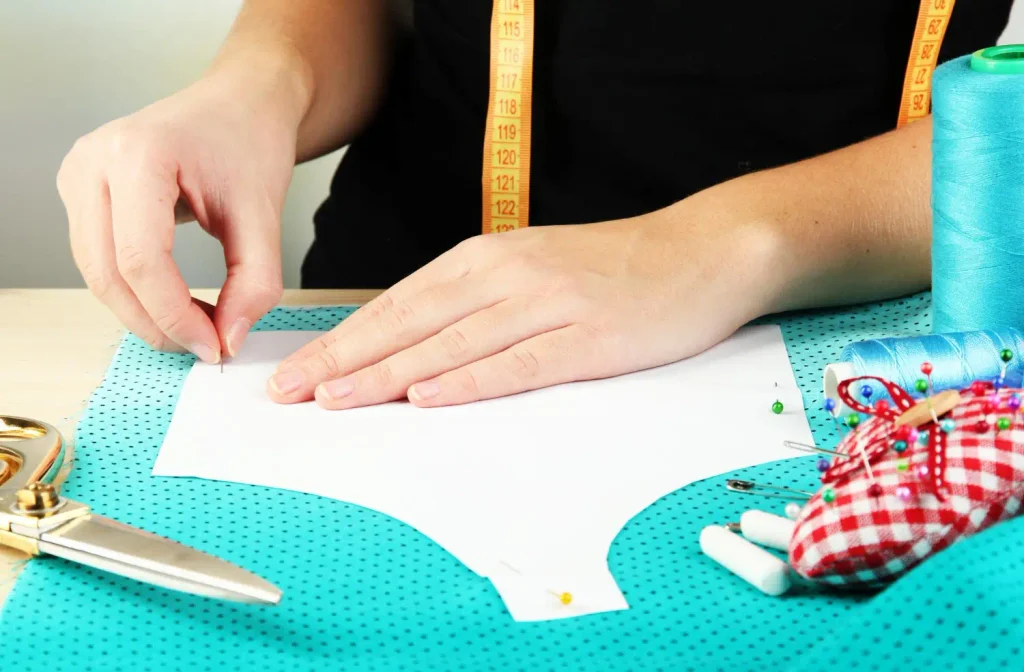
Manual pattern making uses paper, drawing tools and calculations to build each part of the garment.
Digital pattern making lets you develop and modify patterns directly on the computer, using dedicated tools for technical drawing.
With the manual method, the pattern maker works directly on paper and can see the lines while drawing.
However, frequent changes require new markings, copies or cut-outs, which adds work when a collection has many variations.
In a digital environment, you can modify lines, adjust measurements and organize files without rebuilding the entire drawing. Dedicated tools can make grading, reproducing garments and storing designs easier.
The choice depends on the company’s structure, production volume and available resources. For those who develop collections frequently, digital technology can help standardize work and reduce repetitive tasks.
That doesn’t remove the need for technical knowledge, because the software carries out commands defined by the pattern maker.
Understanding geometry, proportions and fabric behavior remains essential in both methods.
Read more: How can basic block patterns help your fashion production?
How to turn a paper sewing pattern into a digital one
Digitizing turns physical patterns into files the pattern maker can edit, store and reuse.
Audaces Digiflash, for example, simplifies this process by using photos to capture paper patterns and bring them into the digital environment.
Here is how digitizing works, step by step:
Photograph and digitize the pattern
Lay out the pattern pieces on a suitable surface and keep the drawings visible, with no folds or overlaps.
Use even lighting and avoid shadows that could make it harder to recognize outlines and markings.
With the Audaces Digiflash digitizing board, pattern makers can capture patterns by photo and speed up the conversion.
The system also recognizes key information, such as notches and grainlines.
Import the image into the software
After capturing the image, transfer it to the computer and open the digitizing software.
Select the correct file and check that every piece appears in full before moving on.
Adjust the pattern scale
Use known references to check the proportions and make sure the file matches the original dimensions.
This check prevents distortions that could compromise measurements and how pieces fit together in later stages.
Vectorize the outline and markings
Convert the image outlines into digital lines and record information such as notches, darts and grainlines.
Then review the details and save the file for future changes.
Read more: How to digitize sewing patterns in 5 simple steps
How to make a sewing pattern digitally
To develop a sewing pattern on the computer, the pattern maker needs to combine reliable measurements, the right tools and technical knowledge.
Audaces Moldes offers features to create digital patterns, make adjustments and develop size ranges.
Here is how the process works:
Define your size chart
Choose a chart that suits the collection’s target customer and identify the measurements each design needs.
Use consistent references to keep proportions balanced as you develop the garments.
Create your pattern with the right system
Open the pattern making software and choose the right tools to build the block you need.
Start with the main pieces and keep your files organized to make corrections and future reuse easier.
Read more: Discover the benefits of digital sewing patterns and how they work
Draw structure lines and reference points
Draw horizontal and vertical lines to guide pattern construction and establish proportions.
Mark key points, such as waist, hips, shoulders and length, according to the garment’s features.
Draw anatomical curves and details
Use the drawing tools to shape armholes, necklines, side seams and any other curves you need.
Check that the lines flow smoothly and adjust the details to preserve the intended shape of the garment.
Add seam allowances, notches and grainlines
Add seam allowances suited to the assembly process and mark the notches that show how the pieces join.
Also indicate the grainline and label each piece to avoid mix-ups during cutting.
Export and run a scale test
Save the file in a format compatible with the company’s workflow and check its dimensions.
If you need to print the pattern, check the scale before using the paper to cut the fabric.
Read more: Sewing and patterns expert tips to boost productivity
How to adapt a sewing pattern to different sizes
Grading turns a base pattern into other sizes while preserving the essential features of the design.
However, the pattern maker needs to account for differences in proportion between bodies to avoid adjustments that compromise the fit.
Here is how grading works:
Identify the grading points on the base pattern
Locate strategic points, such as shoulders, bust, waist, hips and sleeve ends. These references guide the adjustments and help keep the garment’s parts balanced.
Calculate the difference between sizes
The grade rule is the difference in measurements between the sizes the pattern maker wants to develop.
Check the chosen size chart and determine the increments each area of the pattern needs.
Draw the expansion or reduction axes
Set the directions for increasing or reducing dimensions without unintentionally changing the original design.
The increments must be distributed according to the features of each area and the grading system in use.
Mark the new points and redraw the outline
Apply the calculated increments to the reference points and redraw the lines between them.
Then check the curves to avoid unexpected angles or excessive changes to the silhouette.
Check how the seams match
Compare the lines that will be sewn together, such as side seams, shoulders and sleeves, to check their lengths.
When needed, correct any differences before releasing the patterns for production.
Keep in mind that grading does not replace fit evaluation on different bodies. Academic research on the topic shows that the distribution of body measurements affects how well the fit carries across sizes.
Read more: What is grading and how to do it in 3 simple steps
How to assemble and join sewing pattern pieces in 3D
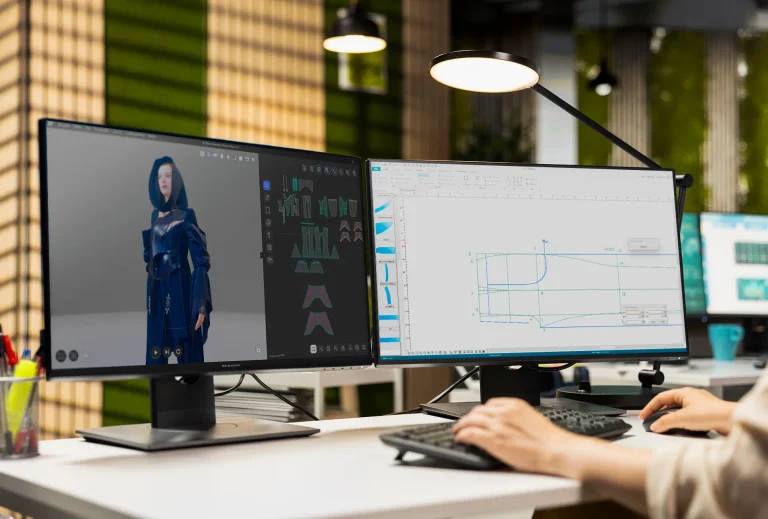
3D pattern making lets you see the garment virtually and observe how the pattern pieces relate to each other on the body.
With Audaces 3D, pattern makers can simulate garments and evaluate fit before making physical prototypes.
Here is how pattern making works in this type of software:
Import and position the pattern pieces
Load the digital patterns into the 3D environment and position each piece according to the garment’s structure. Check the orientation of each piece to set up the virtual assembly correctly.
Define the virtual seam lines
Indicate which edges need to be joined, such as shoulders, side seams and parts of the sleeves. These connections guide the virtual assembly and help the system interpret how the garment is constructed.
Assign the fabric’s physical properties
Select properties that match the material planned for the garment, considering characteristics such as stretch, weight and drape.
This choice affects how the fabric looks and behaves during the simulation.
Run the fit simulation
View the garment on the avatar and look for any tension, excess fabric or distortion. Make the necessary adjustments to the pattern and run the simulation again until you reach a satisfactory result.
Read more: 6 signs you’re ready to move to 3D prototyping
What to do if your sewing pattern doesn’t fit right
When a garment has fit problems, the pattern maker needs to identify the cause before changing the drawing.
Check the body measurements, the pattern dimensions and the ease planned for the design.
Look for signs such as pulling fabric, excess fabric, misplaced seams or difficulty moving the arms.
Each problem may point to a different adjustment, so avoid changing several areas without evaluating how they relate to each other.
Whenever possible, sew a sample garment to observe how the fabric actually behaves and confirm the corrections.
Make the necessary changes to the pattern and record the adjustments to make future reproductions easier. Also check that matching pieces still have compatible lengths after the changes.
This check helps prevent new problems during assembly and makes the final result more consistent.
Read more: 5 reasons why pattern makers should start using 3D pattern
Is sewing pattern software worth the investment?
Pattern making software can be worth it when you need to develop garments frequently, adapt sizes and organize technical files.
Before investing, assess which tasks take up the most time and which features actually meet your needs.
Compare ease of use, drawing tools, grading features and compatibility with the equipment you already have.
Also consider the training needed to bring the technology into your routine without putting delivery deadlines at risk.
The investment makes more sense when the gains in productivity and organization outweigh the costs involved.
So, analyze your workload, the complexity of your patterns and your opportunities for professional or business growth.
It also helps to see how the system works before making a decision. A hands-on demonstration helps you check whether the tools match your experience level and your goals.
Create your own sewing patterns with Audaces
Technology can support different stages of pattern making, from digitizing old files to creating 3D garments.
Audaces offers solutions that help professionals organize their processes and develop patterns faster.
Audaces Digiflash
Audaces Digiflash turns physical patterns into digital files from photos, making it easier to reuse existing blocks.
With it, pattern makers can preserve their pattern library and prepare drawings for future edits.
It recognizes notches, outlines and internal markings with precision. The software also lets you import several patterns at once, separating each piece automatically.
Audaces Pattern
Audaces Pattern allows you to create and modify patterns directly on the computer and makes it easier to develop size ranges. Its tools help organize pattern making and speed up tasks that would take more manual work.
It is the most complete pattern making system on the market and the favorite among Audaces customers. Audaces Pattern is intuitive even when you’re working on complex patterns, which makes the process faster.
Audaces 3D
Audaces 3D lets you see garments virtually and evaluate their fit before making physical prototypes.
With this simulation, professionals can identify adjustments and compare options while developing the collection.
Think of Audaces 3D as digital sewing for your patterns. You can import designs from Audaces Moldes and see how they behave with the prints, textures and trims suggested by the designers.
FAQ
A sewing pattern is a representation of a garment’s pieces that guides fabric cutting and garment assembly.
You can make a sewing pattern digitally with pattern making software, such as Audaces Moldes, which offers tools to draw and grade garments.
Sewing pattern software makes changes, grading and file organization easier, and it streamlines the pattern maker’s work.